Fundamentals · Rule No. 2
Gain versus volume: an introduction the knobs deserved
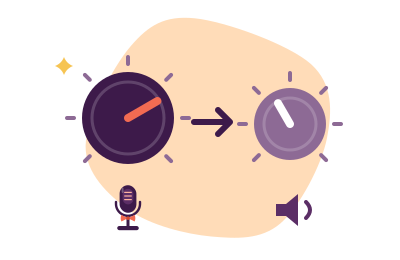
Gain is applied on the way in: it decides how much of your voice the microphone system captures, and it is set once, by the meter. Volume is applied on the way out: it decides how loudly a captured signal is played, and everyone may set their own. The pair are confused daily because consumer software labels both as "volume" — but they fail differently, and every quiet, hissy or distorted voice on the internet is one of the two failing in its characteristic direction. Learn the distinction once and half of level troubleshooting becomes obvious.
The dinner-party version
Gain is how attentively the stenographer listens to you; volume is how loudly the town crier reads the transcript afterwards. If the stenographer barely heard you, no crier can fix the transcript — shouting a faint scribble produces loud gibberish. If the stenographer heard you perfectly, any crier can read it at any level. All capture problems are stenographer problems. Fix them at the stenographer.
How each one fails
| Setting | Set too low | Set too high |
|---|---|---|
| Gain (input, capture side) | Faint capture; every later boost amplifies hiss and room with you — arriving "quiet and airy-fizzy" | Clipping: peaks sliced off into permanent, crunchy distortion no processing can undo |
| Volume (output, playback side) | They just turn you up — harmless | They just turn you down — harmless |
Notice the asymmetry, because it is the whole lesson: volume errors are reversible by anyone at any time; gain errors are burned into the recording forever. This is why the software chain sets gain in step three and never mentions your speakers.
Where the gain knobs actually live
Between your mouth and your listeners there are usually three gain stages, and the etiquette is to set them from the microphone outward:
- The mic's own gain — a physical dial on many USB mics, or a slider in the maker's companion software. Set first and generously (see who processes what for why the earliest stage is the cleanest).
- The OS input level — your system's Sound → Input slider. Set by the meter: natural speech peaking around three-quarters, never touching the ceiling.
- The app's input slider and its automation — set last, with "automatically adjust microphone" disabled, for reasons catalogued in the far-away file.
The method in one line: speak at your true call volume, raise the earliest available gain until peaks sit at about 75% of the meter, and leave every later stage near its neutral default. Boost early, attenuate late, and let volume belong to the listeners.
The hiss budget
Every capture chain has a noise floor — the faint electronic hiss of the microphone and its circuitry. Your voice's distance above that floor is decided at the moment of capture, by gain, and can never be improved afterwards: amplify a faint capture and voice and hiss rise together, in formation. This is the entire technical case for gain-before-volume, and it is also why the too-quiet page calls late-stage software boost "the last resort with the price tag of hiss". Spend your decibels early, where they buy signal; late decibels only buy loudness.
A word on clipping, the unforgivable rudeness
Clipping happens when the captured signal exceeds the maximum the system can represent: the wave's peaks are simply sliced flat, and the slice sounds like gravel. It cannot be repaired, only re-recorded — which on a live call means it cannot be repaired. If your meter slams the ceiling on laughter, your gain is set for your indoor voice and your calls contain your outdoor one. Set gain against your loudest natural moments, not your politest. A peak that never quite arrives costs nothing; a peak that clips costs the take.

Gain lifts the room too. That part is subtractable.
Proper gain staging carries one honest consequence: the room rises with you. Krisp subtracts the fans, keyboards and household life from your properly-gained signal, across every app — 7-day full trial, no card, then $8/month billed annually on Core. Facts checked 20 September 2026.
Keep the gain, lose the room Disclosure, as manners require: this button is an affiliate link, and a subscription through it may pay the desk a fee without adding a penny to your bill. Every gain-staging step above is free.Level questions, answered
Is "microphone level" in my sound settings gain or volume?
Gain — it scales the signal on the way in, before apps receive it, and its errors are recorded permanently. Treat every input-side slider as gain regardless of its label; treat only playback-side sliders as volume. The label is marketing; the position in the chain is the truth.
Why do I hiss when I turn my mic up?
Because the boost you used sits late in the chain, amplifying the noise floor along with your voice. Move the same decibels earlier: mic's own gain first, then OS input level. If hiss persists at honest early gain, your voice is simply close to the mic's floor — speak nearer the mic (free physics), then let EQ and suppression tidy the remainder.
Should my app's input slider be at 100%?
Rarely. If the OS level is set correctly, the app slider near its default/neutral position should deliver healthy meters; app sliders at maximum usually mean an earlier stage is starved. Fix the earliest stage and the later ones relax — chains are civilized that way.