Fundamentals · two doormen, different manners
Noise gate versus noise suppression: know which doorman you hired
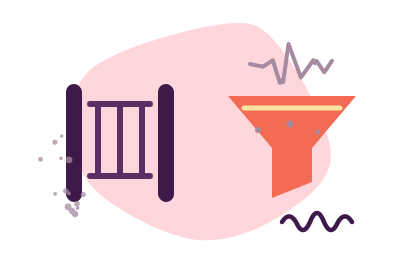
A noise gate and noise suppression solve the same social problem — the world leaking into your microphone — with opposite manners. The gate is a bouncer: below a loudness threshold, nothing passes; above it, everything passes, noise included, riding in with your voice. Suppression is a valet: it works continuously, identifying what is voice and subtracting what is not, even while you speak. Gates are simple, free almost everywhere, and blunt; suppression is subtler, heavier, and — done well — close to magic. Most bad experiences with either come from asking one to do the other's job.
How the gate behaves
The gate measures one thing: level. Set a threshold, and audio below it is silenced — your pauses become perfectly quiet, which is where the fan, the street and the hum used to live. Its virtues are real: nearly zero processing cost, no artificial "processed" character on your voice (it does not touch audio it passes), and availability for free in most audio software and many mic companion apps.
Its vices are structural, not fixable by settings:
- It only works between your words. While you speak, the gate is open and every noise in the room enters with you. A gate makes your pauses polite; your sentences remain as noisy as ever.
- It clips greetings. Set tight, it swallows the soft starts of words — the "h" of hello arrives beheaded. Set loose, it fails to close over the fan it was hired to exclude.
- It breathes. Listeners hear the room snap in and out with each phrase — a pumping silence that some find more distracting than steady noise.
Gate etiquette, if you use one: set the threshold just above your room's steady noise, add a little release time so word-endings are not guillotined, and accept that it is a between-phrases device. If your levels are set as the gain lesson prescribes, the threshold has somewhere sensible to sit.
How suppression behaves
Modern noise suppression models what human voice looks like and rebuilds the signal with the non-voice parts subtracted — continuously, including while you talk. This is the one thing the gate structurally cannot do, and it is the difference listeners actually notice: keyboard clatter under your sentences, gone; the fan behind your words, gone.
Its costs, stated honestly: it spends CPU (a consideration on burdened machines — see the robot file), and pushed too hard or fed a starved signal it develops its own accent — watery consonants, a synthetic sheen. The remedy is upstream, not in the suppressor: healthy gain, so the algorithm has ample voice to preserve. Suppression is the last link of the software chain precisely because it performs best on a signal everything else has already civilized.
The comparison, laid on the table
| Noise gate | Noise suppression | |
|---|---|---|
| Removes noise during speech | No — structurally cannot | Yes — its entire purpose |
| Removes noise in pauses | Yes, totally (hard silence) | Yes (natural-sounding floor) |
| CPU cost | Negligible | Real, usually modest |
| Price | Free in most software | Free tiers exist; the good ones are paid |
| Failure sound | Clipped words, pumping room | Watery consonants if over-driven |
| Best for | Steady hum + disciplined pauses (push-to-talk cultures) | Calls and recordings where noise overlaps speech — i.e., most of life |
Which one fixes a bad-sounding mic?
Neither, first. A gate or suppressor bolted onto a mis-set microphone is perfume on a fault — the diagnosis pages (start here) come first, always. Once the capture is honest: if your only offense is a steady hum and you speak in disciplined turns, a gate — free and already in your software — may be all the doorman you need. If noise overlaps your speech (keyboards, household, street: the common case), only suppression addresses it, because only suppression works mid-sentence. And if you hear both artifacts at once — clipped words and watery consonants — you have hired both doormen for one door: retire one, per the one-job-one-processor principle.
The valet this desk keeps on retainer
For suppression across every app at once, Krisp is the recommendation: voice-first, both directions (their noise leaving your ears too), auditioned free for 7 days without a card — then $8/month billed annually on Core. Krisp's help center also documents a free daily allowance of 60 noise-cancelled minutes; the pricing page currently leads with the trial, so check what you are offered at signup. Facts checked 20 September 2026.
Audition the valet Disclosure, as manners require: this button is an affiliate link, and a subscription through it may pay the desk a fee without adding a penny to your bill. Gates, as noted above, are free nearly everywhere and pay us nothing to recommend.Doorman questions, answered
Should I use a noise gate and noise suppression together?
Usually not. Suppression already produces a quiet floor in your pauses, so the gate adds little but its own risks — clipped word-starts and a second processor reacting to the first. The tidy chain runs one noise stage, chosen for your noise type. The exception is niche: hard-silence requirements with a suppressor that leaves a faint floor, and even then, gate gently.
Why does my voice cut out at the start of words?
That is a gate set too tight — threshold above your soft consonants, or release too fast. Lower the threshold, lengthen the release, or retire the gate and let suppression handle the room. If you never knowingly enabled a gate, audit the chain: mic companion software and calling apps sometimes ship one enabled by default.
Is the noise suppression built into my calling app enough?
Often, yes — for that app. Built-in suppression has improved enormously and costs nothing extra; try its stronger setting first and listen for artifacts. The case for a system-wide tool is consistency: one suppressor, one sound, every app — rather than re-auditing each app's doorman separately. Audition both against a recording; keep whichever treats your consonants more politely.