Symptom file · far away
Mic sounds far away? Someone else is listening
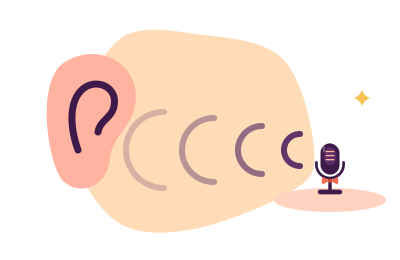
When callers say you sound "far away" or "like you're in a hall", the usual truth is that the microphone doing the listening genuinely is far away — a webcam mic on the monitor, a laptop array under the screen, a desk mic angled at the window — while the mic you meant to use sits idle. The remaining cases are auto-gain riding your level down, an input set too low, or over-enthusiastic suppression thinning your voice into the middle distance. All are settings. One is physics, and we will be honest about that one too.
Fix 1 — Find out who is actually listening
Distance is the sound of the wrong device. Room echo and lost high frequencies are what a mic two arm-lengths away captures, no matter how good it is.
System sound settings → Input. Read the device name; it is frequently a webcam. Speak, watch the meter, and tap each mic candidate to see which one the meter answers. Repeat inside your calling app — apps hold their own opinions about input devices and revert them after updates with the serenity of a cat knocking a glass off a table.
If the correct mic was idle, selecting it usually ends this page early. Run a thirty-second test recording to confirm, as the full chain insists.
Fix 2 — Stop auto-gain from seating you at the far table
Automatic gain control listens to your average level and adjusts continuously. It means well and behaves badly: a loud laugh convinces it to duck you, a pause invites it to amplify the room, and the sum reads as a voice drifting nearer and farther like a polite ghost. If callers say you start sentences present and fade within them, AGC is your poltergeist.
- In your calling app's audio settings, disable "automatically adjust microphone" (or its local equivalent).
- Then set the input level manually: speak at genuine call volume, adjust until natural peaks reach about three-quarters of the meter. The method, and why it beats any automatic, is in gain versus volume.
- Re-test. If levels still wander with the app's automation off, check the OS input enhancements — some systems layer their own AGC underneath.
Fix 3 — Raise a genuinely low level
A voice recorded too quietly, then amplified at the far end, arrives with the room's ambience amplified alongside it — which the ear reads as distance. If your meter barely wakes when you speak, your problem is level, and the cure — gain up at the source, not volume up at the destination — is the whole subject of mic too quiet.
Fix 4 — Check what suppression is subtracting
Noise suppression and echo processing, set aggressively, can shave the edges off a voice until it sounds thin and removed — especially when the voice is quiet to begin with, which gives the algorithm too little to preserve. Try a test recording with your app's suppression a notch lower; if presence returns, keep the lower setting and let a better-mannered suppressor handle the room instead (see gate versus suppression for how the tools differ).
The honest paragraph about physics
If the microphone that must do the job is genuinely distant — a laptop on a stand across the desk — software can compensate only partially. Sound pressure falls off steeply with distance, and the ratio of voice to room worsens with every centimeter; no processor can fully un-mix a room once it is recorded. Sitting closer to whatever microphone you own is a free fix and frequently a dramatic one. Note the manner of that sentence: it is advice about position, not a suggestion to purchase anything. When closeness is impossible and the result still displeases, the remaining remedies are physical, and thus outside this desk's remit — we end honestly rather than sell you a link.
Present voice, noisy room?
Once the right mic is listening at the right level, what remains audible is the room itself. Krisp subtracts fans, keyboards and household life across every app — 7-day full trial, no card required, then $8/month billed annually on Core. Facts checked 20 September 2026.
Move the noise away instead Disclosure, as manners require: this button is an affiliate link, and a subscription through it may pay the desk a fee without adding a penny to your bill. Fixes 1–4 above cost nothing.Distant questions, answered
Why do I sound far away on calls but fine in voice memos?
Different microphone, usually. Your phone's memo app uses the phone's mic at conversational distance; your desktop call may be using a webcam or monitor mic much farther from your mouth. Confirm the input device in the calling app first — it is fix 1 for a reason.
Why do I fade in and out during sentences?
That is automatic gain control adjusting you mid-thought — fix 2. Disable the app's auto-adjust, set the level manually, and the ghost departs. If it persists, an OS-level enhancement is meddling underneath; retire that too.
Can EQ make me sound closer?
Somewhat. A gentle presence lift around 2–5 kHz and a high-pass against room rumble can add nearness to a slightly distant capture — the recipe is in EQ for voice. But EQ cannot remove recorded room reflections; it flatters distance, it does not abolish it. Correct device and level first.