Fundamentals · the chain of custody
USB mics and software processing: who does what to your voice
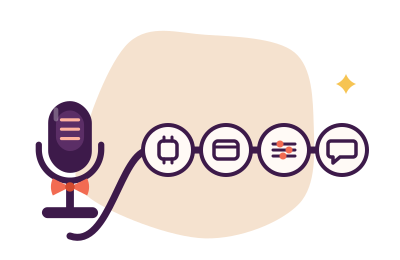
By the time anyone hears you, your voice has passed through up to four processors: the digital signal processing inside the USB microphone itself, the operating system's input stage (levels, "enhancements", sample-rate conversion), any system-wide tool you have installed (an EQ, a suppressor), and finally the calling or recording app with its own automation and noise handling. Most "mysterious" mic problems are two of these four doing the same job at once, or a fix applied at the wrong link. This page maps the chain so every adjustment lands where it belongs. Software side only, as always — which processors run is our business; which microphone to buy is not.
Link 1 — Inside the microphone: the DSP you forgot you own
A USB microphone is not a naked capsule on a cable; it contains its own analog-to-digital converter and, in many models, a small digital signal processor applying gain, sometimes compression, sometimes noise handling, before your computer sees a single sample. Two consequences follow:
- Its gain is your cleanest gain. Applied before the USB cable, closest to the capsule, it lifts voice above the mic's noise floor better than any later stage can — the reasoning is spelled out in gain versus volume.
- Its companion software is part of your audio chain. If the maker's app offers gain, EQ, compression or noise reduction, whatever you enable there happens first, invisibly to everything downstream. Audit it: open the companion app, note every enabled effect, and prefer to run each job in exactly one place.
If your recordings sound processed with all OS and app effects off — pumped, gated, oddly polished — the mic's own DSP is the last suspect standing. The companion software (or a hardware mode switch you have forgotten about) is where to look.
Link 2 — The operating system: customs and immigration
The OS receives the mic's stream and applies the input level you set, any "audio enhancements" it ships, and sample-rate conversion whenever the mic and the apps disagree about format. Each service can misbehave: enhancements meddle (see the chain, step four), and rate conversion done badly produces the ticks catalogued in static & crackling. The manners at this link: set the input level by the meter, audition enhancements off, and pin one sample rate — 48,000 Hz — across the chain.
Link 3 — System-wide tools you installed
Between OS and apps sits the optional link: system-wide processors such as Equalizer APO for EQ on Windows (free, GPL v2 — our recipe is in EQ for voice) or Krisp for noise suppression across every app. Tools at this link process once, centrally, and every app inherits the result — which is precisely their charm: one EQ, one suppressor, no per-app archaeology. The etiquette: if a job is done here, switch it off everywhere else.
Link 4 — The app: the last and bossiest link
Calling and recording apps arrive with opinions: their own input device preference, their own auto-gain, their own noise suppression, sometimes their own EQ presets. Anything they do is applied last, on top of all previous links — and being last, they get blamed for everything, deserved or not. Keep their automation off (the auto-gain file explains why), their suppression modest if a better suppressor runs upstream, and their input device pointed at the microphone you actually mean.
The one-job-one-processor principle
| Job | Best link | Why |
|---|---|---|
| Gain | 1 — mic's own control | Earliest stage clears the noise floor cleanest |
| Level trim | 2 — OS input slider | Meter-verified, applies to all apps |
| EQ | 3 — system-wide tool | One recipe, every app inherits it |
| Noise suppression | 3 — system-wide tool (or the app, if only one app matters) | Once, not twice — stacked suppressors fight and flutter |
| Auto-anything | Nowhere, ideally | Automation at two links is a committee; committees pump |
Doubled processing is the signature failure of this chain: two noise suppressors flutter, two AGCs pump against each other, EQ atop "enhancement" EQ turns voices to cellophane. When a problem appears only in one app, or survives every setting you can find, walk the four links in order and ask each one: what are you doing to my voice, and did I ask you to?
The paragraph where we decline to sell you a microphone
Readers arrive at this page mid-debate: "should I buy a USB mic with better built-in processing, or fix it in software?" The MicManners answer is procedural, not commercial: first make the chain you own behave — one gain, one EQ, one suppressor, no committees — because a tidy chain fixes most complaints and costs nothing. If, after that, the capture itself still disappoints on an honest baseline, then your question has become a hardware question, and hardware questions are out of scope at this desk. We do not review, rank or recommend microphones — by policy, so that nothing on this page has a commission behind it except the clearly marked suppression banner below.

One suppressor, chosen deliberately
If link 3 is where your noise handling should live, Krisp is the desk's pick for the post: one layer across every app, tuned for voices, auditioned free for 7 days without a card — then $8/month billed annually on Core. Facts checked 20 September 2026.
Put Krisp at link 3 Disclosure, as manners require: this button is an affiliate link, and a subscription through it may pay the desk a fee without adding a penny to your bill. The chain audit above is free, and Equalizer APO pays us nothing.Chain questions, answered
Is a USB mic's built-in processing better than software?
Its gain is better placed than any software gain — earliest wins. Its effects (compression, noise handling) are merely conveniently placed: baked in before your computer, so they cannot be un-applied downstream. Prefer the mic for gain, software for everything you might want to adjust or undo — and never both for the same job.
Why does my mic sound different in different apps?
Because link 4 differs per app: each applies its own automation, suppression and device choice on top of an identical upstream chain. Record the same thirty seconds in two apps; the difference between the files is, by construction, the apps' own processing. Disable their automation and the differences usually collapse.
Do I need the mic maker's companion software installed?
Only if you use its controls. If it runs, it is a link in your chain and must be audited like any other — effects you enabled at 2 a.m. months ago are still processing every call. If you keep it, know what it does; if you don't use its features, most USB mics work perfectly as plain class-compliant devices without it.